An explainer or promo video of your software, from a recording you already have
No video team needed. Start from a screen recording, screenshots or product photos, and the AI Director writes the narration and plans the edit. You approve the plan before anything renders.
See an explainer made from four screenshots
Four screenshots of Tasklark, a made-up task planner, and one line about what it does went in. The AI Director wrote the script, the screens glide in with the film look, and the video opens and closes on Tasklark's own logo.
What went in
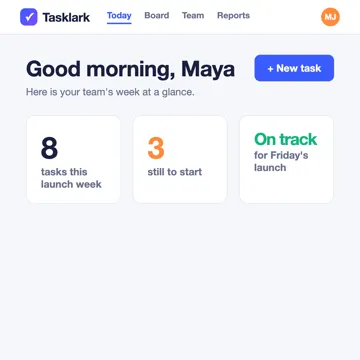
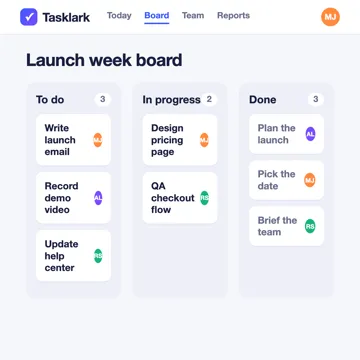
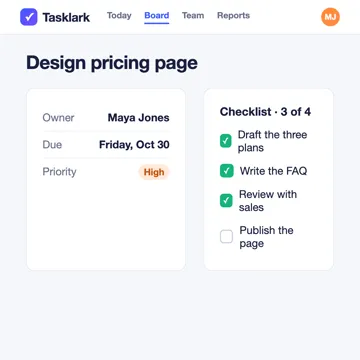
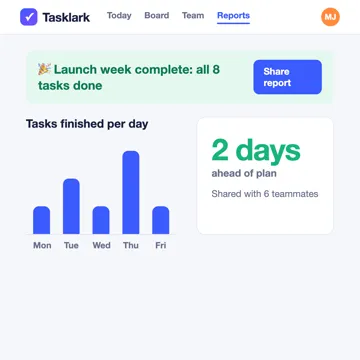
The four screenshots that went in, as they were uploaded.
Tasklark is a team task planner: plan the launch week, move work across the board and share the report.
What came out
Made in My Feature Flow on the Free plan, from a made-up product. Paid plans have no watermark.
What you get
Your real product on screen
The video shows your actual software or product, with zooms, pans and highlights that guide the eye to what matters.
A narration script, drafted for you
A voiceover written from what happens on screen, voiced by an AI narrator you choose from the catalogue in your workspace.
Formats for launches and social
Choose a demo, announcement, social or tutorial video, in 4 shapes (16:9, 1:1, 4:5, 9:16).
Your brand
Save your logo, colours, and default narration voice for use in your videos. Available brand assets and supported settings are applied during rendering.
How it works
Bring your product
Record in a supported desktop browser, upload a WebM, MP4 or MOV recording, or add screenshots or product photos.
The AI Director plans the video
It writes the narration and plans each scene — the zooms, pans, highlights and captions — from what is on screen.
You review and approve
Edit the script and the scenes before anything is voiced or rendered. Manual plan edits are not metered. AI-assisted revisions use credits.
Render and download
Narration and rendering run after you approve, and the finished video is ready to download from your workspace.
Good to know
- My Feature Flow does not make animated or cartoon explainers: every scene is built from your own recording, screenshots or photos.
- The Free plan gives you 160 credits to start, so you can try it, and Free videos carry a watermark.
Questions
Do I need a script before I start?
No. The AI Director drafts the narration from your footage. You can edit every line before it is voiced.
Can I make a short promo for social media?
Yes. Choose the social or announcement format and a vertical or square shape (16:9, 1:1, 4:5, 9:16).
What does it cost?
The Free plan gives you 160 credits to start, so you can try it, and Free videos carry a watermark. Your workspace’s Billing and Usage pages show your current plan, its limits and what you can buy.
Make your explainer from your own product
Bring a recording or a few screenshots and see the plan before anything is rendered.